
FolderCascade 2
Tag every subfolder in Finder.
Status: Coming soon
FolderCascade is distributed only through the Mac App Store. Downloads offered on other websites are not ours and may contain harmful software. How to identify the genuine FolderCascade
01Introduction
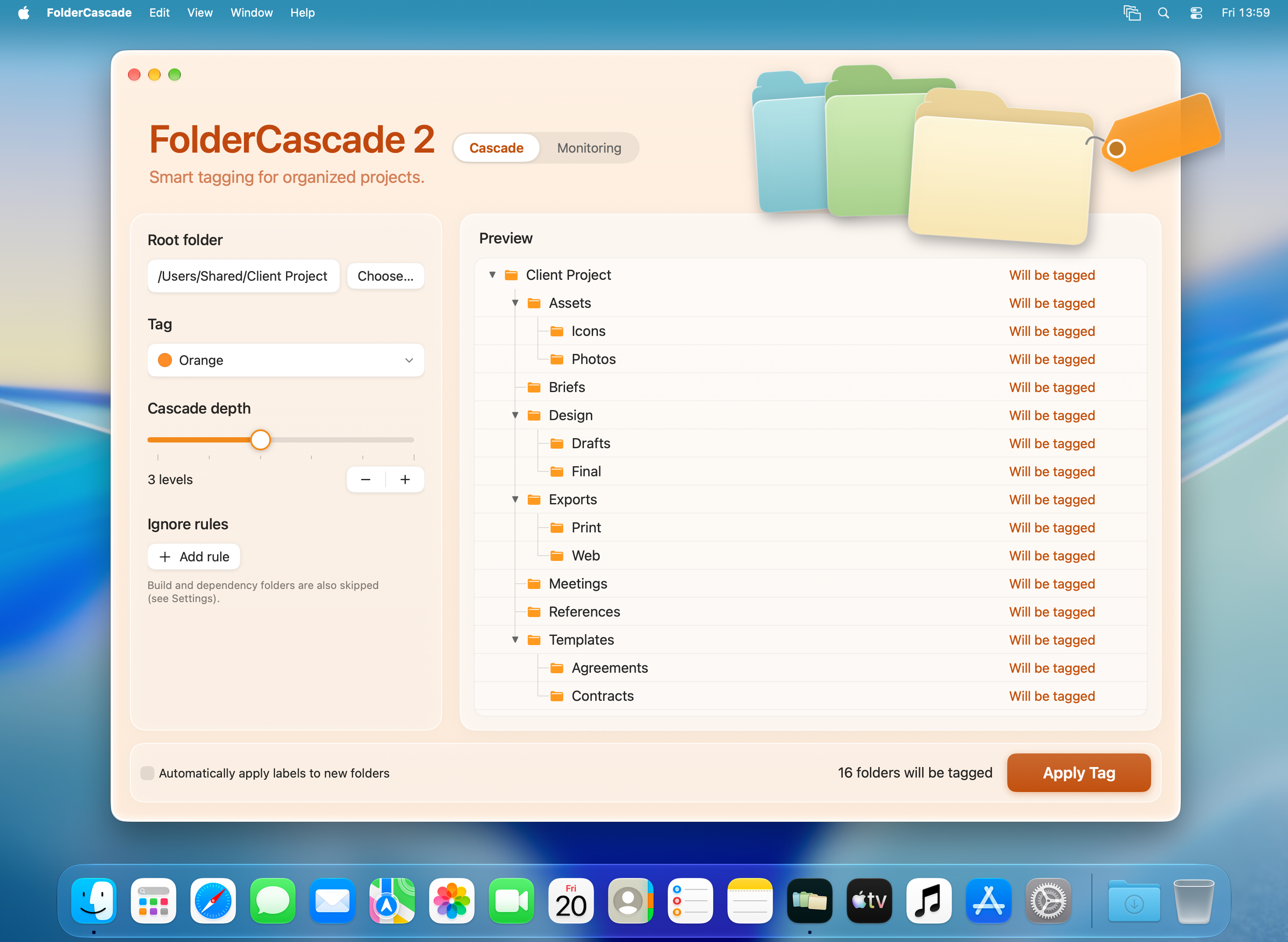
Tag a project folder and everything inside it in one step. Choose a root folder and a Finder tag, and FolderCascade sets that tag on the root and on every eligible subfolder. Monitor the folder, and new subfolders get the same tags automatically.
How it works
- Choose a folder and a tag. Pick a root folder and one Finder tag, and set how deep to go and which folders to ignore.
- Check the preview, then press Apply. The tag is set on the root and on every eligible subfolder, replacing the tags they had. Packages, such as app bundles, and symbolic links are never tagged.
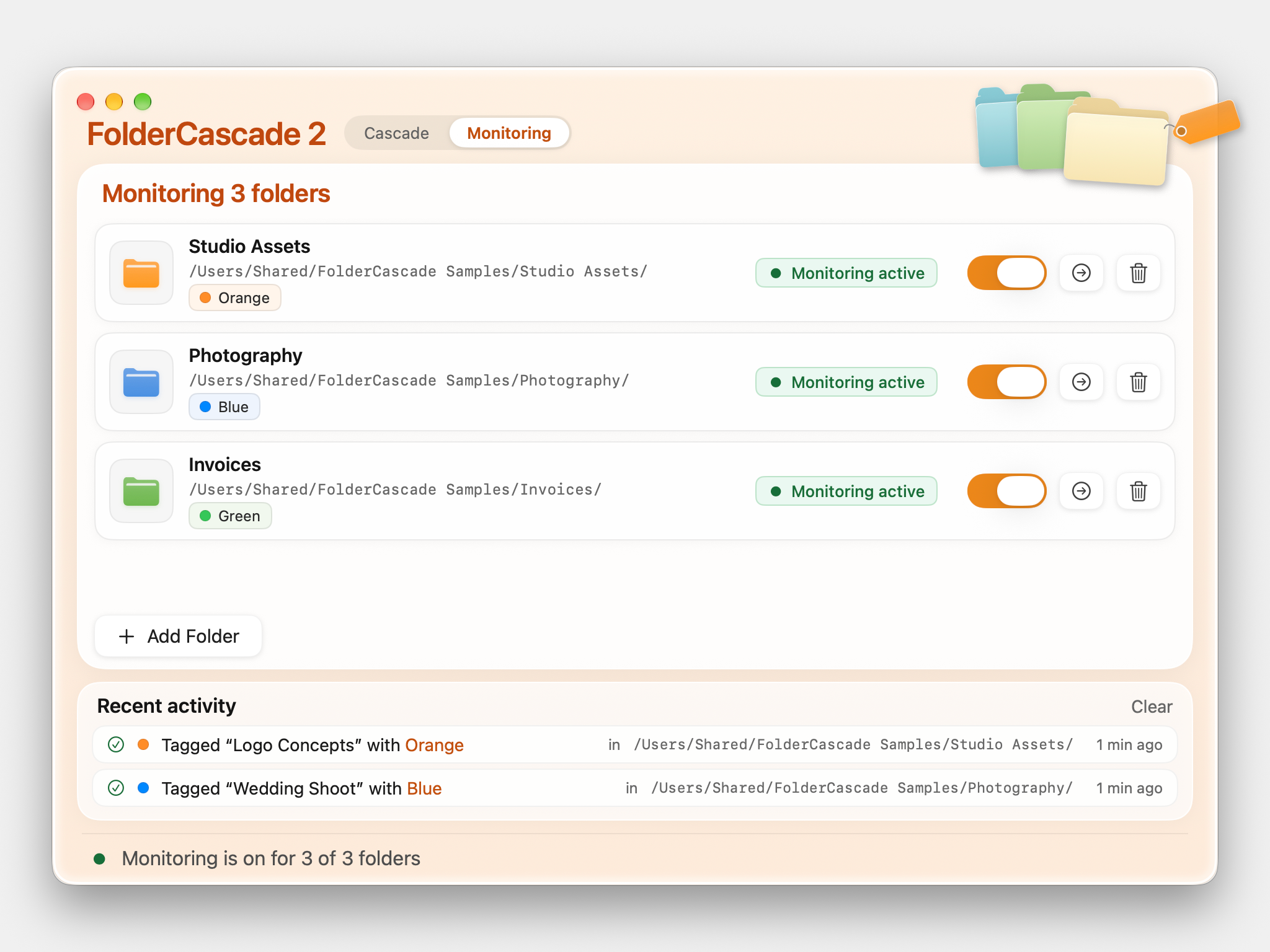
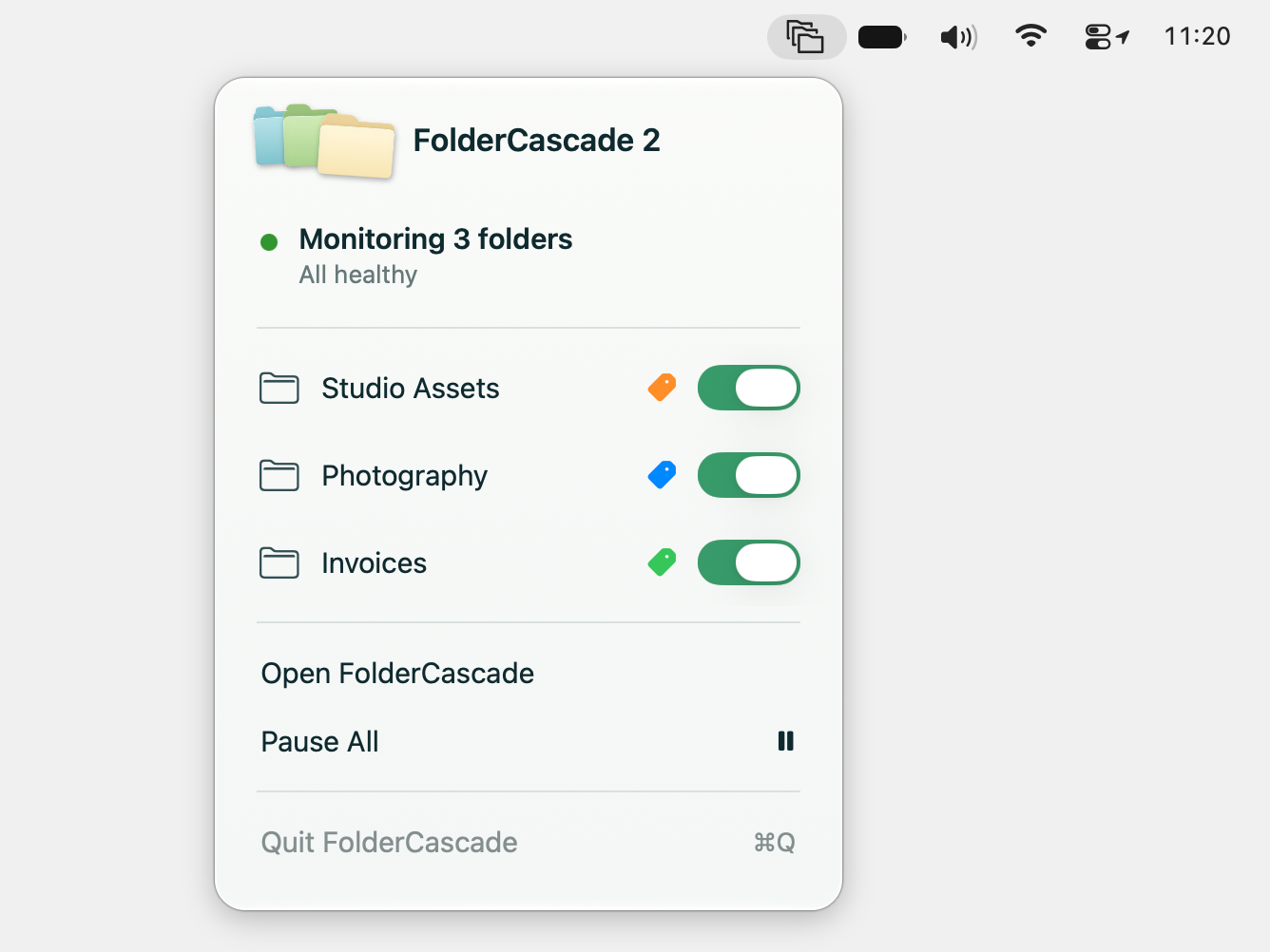
- Optionally, add the folder as a monitored folder. New subfolders then receive the root’s tags automatically, including folders added while FolderCascade was not running. It runs from the menu bar and can launch at login.
02In use
03Details
- Platform
- macOS
- Requires
- macOS 26 or later
- Version
- 2.0
- Price
- Free to download, with 3 free cascades. A cascade is counted per folder. A manual cascade on a root folder counts once, however many subfolders it tags, and each new subfolder tagged automatically by monitoring also counts one.
- Unlock
- A one-time in-app purchase, Unlock Unlimited Cascades, unlocks unlimited cascades and automatic monitoring. The App Store shows the price.
- Restore
- Restore Purchases is in Settings, under About & License.
- Version 1 owners
- If you bought FolderCascade version 1, you keep full access in version 2 without buying again.
- Family Sharing
- The unlock can be shared with your family through Family Sharing.
Coming soon to the Mac App Store